Pages, Sections and Rows
A long dialog is easier to answer when it is split up. Use pages for steps, sections for groups the user can fold, and rows to put small fields side by side.
Pages
Put questions inside page blocks. The first time the dialog opens, the user answers one page at a time, with Next and Back:
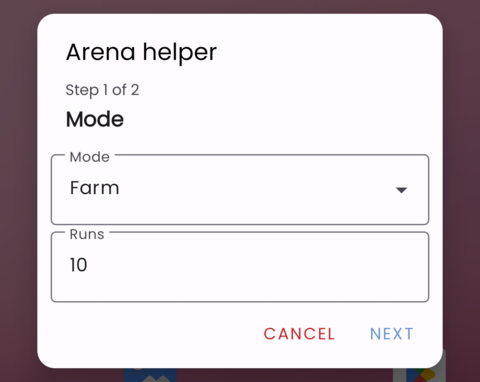
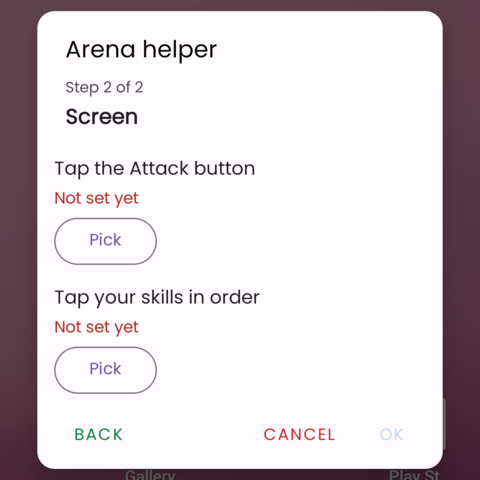
Next waits until the page is answered. Once everything is answered, the dialog shows the pages as tabs, so the user can jump straight to the one they want to change:
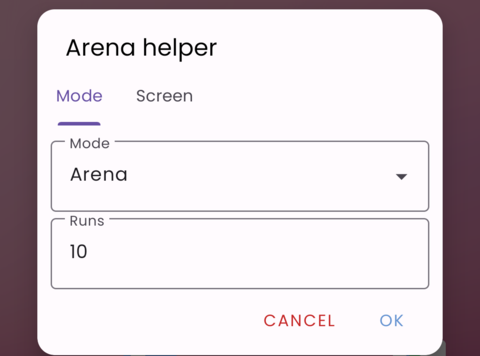
When a dialog has a page, everything in it must be inside a page.
Sections
A section is a titled group the user can fold. Tick folded to start it folded, which suits settings most users never change, such as delays.
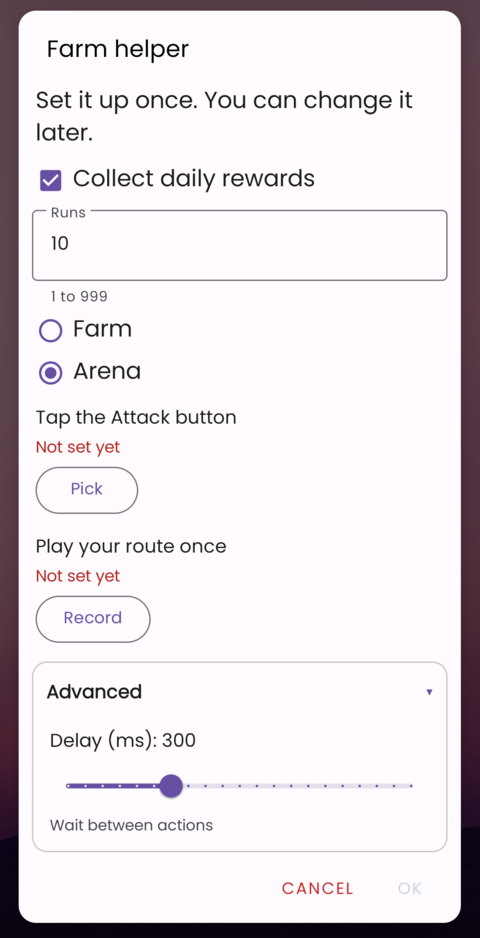
Sections can go inside pages.
Rows
next items side by side puts every item after it next to each other, until next items stacked or the end of the list. Use it for short fields that belong together.