What Your Users See
This page walks through a dialog from the user's side, so you know what to expect when you publish a macro with one.
The first time
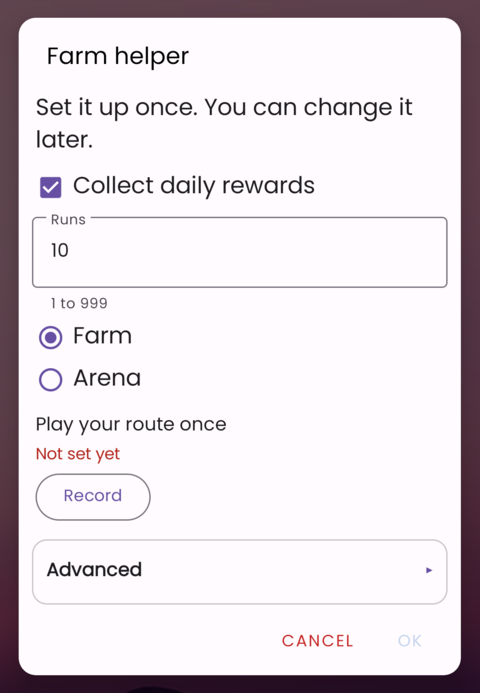
The dialog opens before the macro starts. Questions that still need an answer say Not set yet in red, and OK stays grey until they are answered.
With pages, the user goes through them one at a time, with Next and Back:
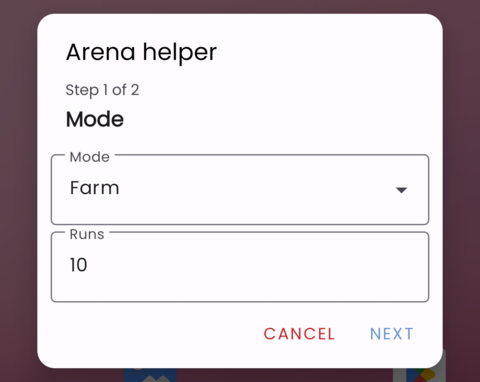
Picking and recording
Pick and Record hide the dialog so the user can use their screen:
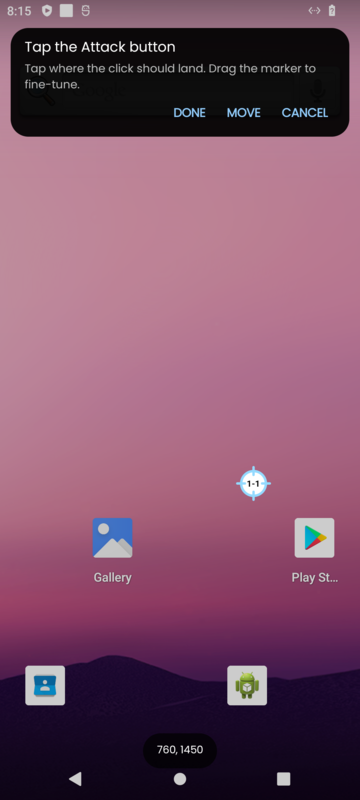
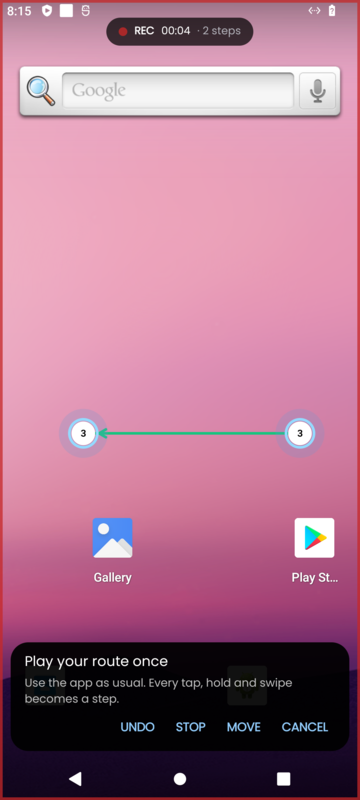
A banner shows your instruction with Done (or Stop), Undo and Cancel. Move moves the banner to the other end of the screen when it covers something.
When everything is answered
The summary under each pick shows what was picked, and OK starts the macro:
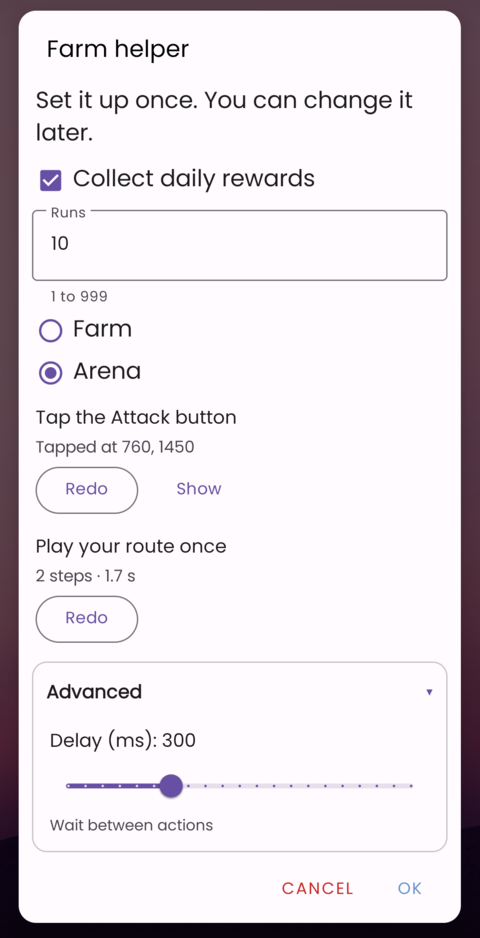
Cancel stops the macro.
The next runs
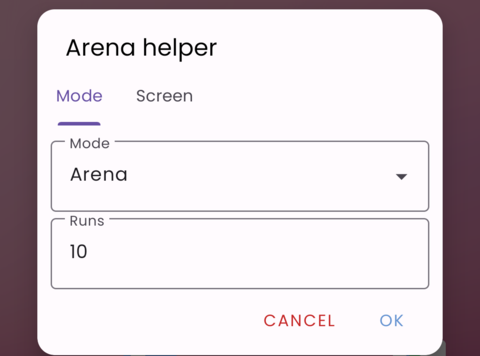
The answers are remembered. Depending on how you set it up, the dialog opens with them filled in, or doesn't open at all (see Every Run or Only When Needed). Pages then show as tabs:
Tips for a clear dialog
- Keep question text short and say what to do: "Tap the Attack button", not "Attack".
- Give defaults wherever a sensible one exists, so most users only press OK.
- Put settings most users never change in a folded section.
- Use show when so users only see questions that apply to them.
- For one-time setup, use only when needed.